September 1, 2026
Cut Set Prep in 30 Days: What DJ Pools Deliver for Working DJs
A DJ pool is a paid, DJ-facing subscription service that gives working DJs curated, ready-to-play tracks, DJ-friendly edits, and organized metadata for use in live sets. It exists to save you the hours you’d otherwise spend hunting, re-editing, and tagging files yourself. Most pools require proof you actually perform before letting you in.
TL;DR:
- Most DJ pools refresh their libraries weekly, offering DJ-ready edits, metadata tagging, and multiple versions of tracks for seamless mixing.
- Higher-tier plans provide unlimited downloads, but essential catalog access often depends on frequency of use and specific genre needs.
- Reputable pools have licensing agreements with labels and artists, but verifying venue performance rights remains the DJ’s responsibility.
- For frequent gigs, pools save time by curating current tracks; rare, vintage, or niche music is usually unavailable through general pools.
- Building a hybrid library, combining pools for current hits and targeted purchases for rare cuts, optimizes versatility and relevance in sets.
Table of Contents
- What a DJ Pool Actually Is (and Where It Came From)
- How DJ Pools Curate and Deliver Music
- Membership Tiers and What They Actually Cost
- Is It Legal to Play Music From a DJ Pool?
- What You Gain, and What You Give Up
- How to Join a Pool and Set Up Your Workflow
- Where DJ Vault Fits Into This
- Pools vs. Building Your Own Library
- Get Curated, Tagged Packs Without the Subscription Guesswork
- Sources
What a DJ Pool Actually Is (and Where It Came From)
A DJ pool, sometimes called a record pool, is a subscription library built specifically for people who play music live, not people who just want to listen to it. That distinction matters because it separates DJ pools from “promo pools,” which exist mainly to funnel unreleased tracks to radio programmers and press, not to DJs building sets for a crowd.
The model started in vinyl. The first record pool launched in New York City in 1974, built as a way for labels to get promotional vinyl into the hands of club DJs without shipping crates to every venue individually, according to the history documented on Wikipedia. DJs got early access to new music; labels got spins, feedback, and a read on which tracks were catching on before committing to a full pressing run.
That same feedback loop still runs the business today, just without the vinyl.
- 1970s to 1990s: Pools mail or hand-deliver vinyl and later cassettes to member DJs.
- Late 1990s to 2000s: CD pools and early digital downloads replace physical shipping.
- 2010s onward: Fully digital pools with browsable libraries, tagging, and instant downloads become the standard.
Pools survived the shift from vinyl to MP3 because the underlying trade never stopped making sense for either side: labels want plays and honest reactions, DJs want a steady, curated stream of new and classic material instead of digging through scattered upload sites.
How DJ Pools Curate and Deliver Music
Pools pull tracks from two places: direct submissions from labels and artists looking for exposure, and in-house curators who scout releases and decide what’s worth putting in front of subscribers. That second layer is what separates a real pool from a generic download site. Someone is actually filtering the noise.
What you get isn’t just the radio edit. A record pool is DJ-facing by design, meaning members “pull” tracks out of a shared library in multiple versions built for actual mixing, not passive listening, according to Promolink’s breakdown of record pools. A single track often ships as:
- The original mix
- An extended version for longer transitions
- An intro edit with a clean buildup for beatmatching
- A short edit for radio-length sets
- An acapella for mashups and transitions
The metadata is the real time-saver. Modern pools tag nearly every file with BPM, musical key, and genre, which is what actually speeds up track selection and mixing during prep or live sets, per that same Promolink analysis. Without that tagging, you’re opening files individually to check tempo. With it, you filter a whole library by “128 BPM, house, A minor” in seconds.
Most pools drop new material weekly, sometimes tied to a specific release day, and let you browse by genre, BPM range, or curator picks. Downloads typically come as batch ZIP files or individual tracks you drag straight into Rekordbox, Serato, or Traktor, where the embedded tags carry over automatically if the metadata was written correctly on the pool’s end.
Membership Tiers and What They Actually Cost
Pricing splits into a few recognizable models, and the right one depends on how often you actually play out.
- Monthly subscription tiers: The most common structure, usually with a download cap per month tied to price.
- Unlimited download plans: A higher monthly rate that removes the cap, worth it once you’re downloading dozens of tracks a week.
- Archive access: Some pools charge extra, or require a higher tier, to unlock older catalog material instead of just current drops.
- Single-pack or one-time purchases: You buy a specific genre pack or bundle outright instead of subscribing at all.
What pushes the price up isn’t just download volume. Catalog depth, exclusive edits you can’t get anywhere else, audio quality (WAV versus compressed MP3), and how often the library actually refreshes all factor into whether a higher tier is worth it.
If you’re new to pools, don’t commit to an annual plan on faith. Test a monthly tier or a single genre pack first, and track how many of those downloads you actually use in a real set within 30 days. That number tells you more than any marketing page will.
Is It Legal to Play Music From a DJ Pool?
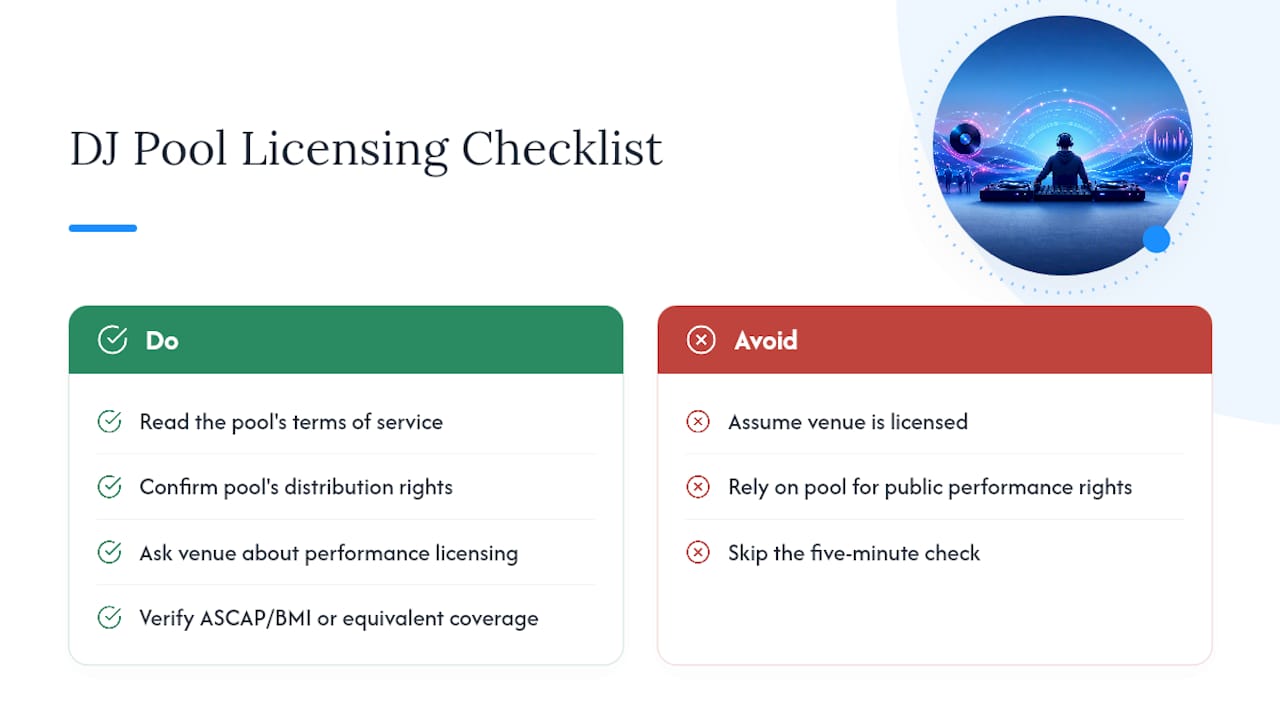
Yes, with a caveat worth understanding. Reputable pools negotiate distribution agreements directly with labels and artists, which is what gives them the right to redistribute tracks to members in the first place, according to LANDR’s explainer on how DJ pools operate. That agreement covers your right to have the file and use it in a set.
It does not automatically cover the venue’s performance licensing, which is a separate matter handled through organizations like ASCAP, BMI, or their equivalents outside the United States. Most venues that host live music or DJ sets already carry a public performance license covering the room itself, but it’s worth confirming with the venue rather than assuming.
Before you rely on any pool, read its terms of service, look for explicit language about distribution rights, and ask venues directly what licensing they carry. That five-minute check protects you far more than guessing.
What You Gain, and What You Give Up
The upside is straightforward: less time digging, more time playing. You get curated discovery instead of scrolling endless upload sites, DJ-ready edits instead of raw radio rips, and a predictable stream of new material every week. That feedback loop, plays and reactions flowing back to labels, is exactly why pools have stayed relevant since 1974, per Wikipedia’s history of the format.
The trade-offs are real too:
- Verification gates: You can’t just sign up anonymously; most pools want proof you actually DJ.
- Catalog gaps: Rare, older, or ultra-niche tracks often aren’t in the library at all.
- Exclusivity rules: Some pools restrict sharing or reposting tracks outside your own sets.
Pooled access beats buying single tracks when you need volume and variety fast, like prepping for a residency with a fresh set every week. Buying individually still makes sense for that one specific rare edit you can’t find anywhere else.
Pro Tip: Don’t download everything a pool offers just because it’s there. Pull what fits your actual genre lane and BPM range, then organize it immediately. A bloated, untagged folder defeats the entire point of using a pool.
How to Join a Pool and Set Up Your Workflow
- Apply with proof of active DJing. Expect to submit social media links, a recent mix, gig posters, or a performance contract. Pools ask because verification protects their relationship with labels and keeps the library credible, according to LANDR’s reporting on pool requirements.
- Skip vague submissions. A personal Spotify playlist doesn’t count as proof. A link to a recorded set, a residency listing, or an event flyer with your name on it does.
- Pick a plan that matches your gig frequency, not the biggest tier available.
- Download in batches by genre or BPM range rather than grabbing everything at once.
- Import directly into Rekordbox, Serato, or Traktor, keeping the pool’s embedded tags intact so your library stays searchable.
Organizing downloads into crates by BPM and genre as you go, rather than dumping everything into one folder, is what actually preserves the pool’s tagging advantage over time.
Where DJ Vault Fits Into This
DJ Vault runs on the same core idea, tagged, key-labeled files that cut prep time, but built with more flexibility than a single subscription. You can grab the full library outright in one purchase, or subscribe monthly for fresh packs without losing access to what you already own.
Compare any pool, including DJ Vault, against a short checklist: does it tag BPM and key consistently, does it ship DJ-ready edits instead of raw files, does the pricing model match how often you actually play, and does the catalog cover your genre lane deep enough to matter. Genre-specific collections, from Afrobeats to country, solve the catalog-depth question directly rather than leaving you hoping a general pool covers your niche.
Pools vs. Building Your Own Library
Use a pool when you’re playing regularly and need a steady drip of current, mix-ready material. Residencies, weekly gigs, and mobile DJs juggling varied crowds all benefit from that constant refresh far more than from one massive personal archive.
Build your own library when your set depends on rare, historical, or hyper-specific tracks a general pool simply won’t stock. Most working DJs land on a hybrid: a pool for weekly relevance, targeted purchases for the deep cuts that define your sound. Treat the pool as your current-events feed and your own crate as your permanent collection.
— DjVault
Get Curated, Tagged Packs Without the Subscription Guesswork
DJ Vault gives you what a good pool promises, tagged and key-labeled files sorted for actual mixing, without locking you into one pricing model. Buy the full library once, subscribe for a steady flow of monthly packs, or grab a single genre bundle when that’s all you need.
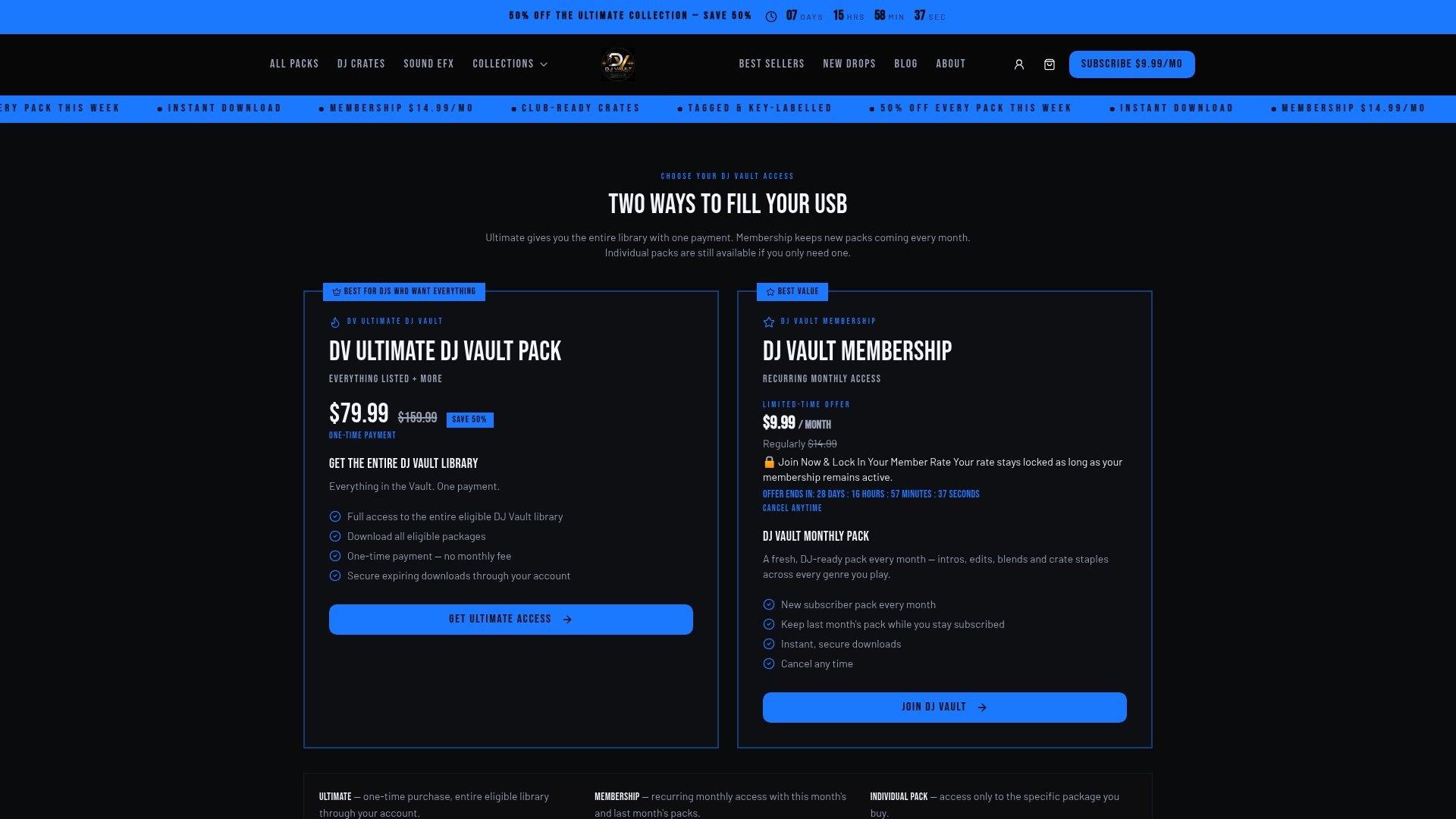
Every pack ships with BPM and key metadata baked in, so files drop straight into Rekordbox or Serato ready to sort. The 2026 July DJ Pack shows how the monthly model works in practice: a fresh, curated crate delivered on schedule instead of you hunting for new material yourself. Need something more specific? Genre bundles like the Latin DJ Pack or the Brazilian music pack cover lanes a general pool often skips. Round out your set with transition sound effects if you’re building out a full crate from scratch. Browse the current packs and pick the format that matches how often you actually play.
Sources
- Music pool - Wikipedia
- What Is a Record Pool? DJ Record Pools Explained (2026)
- DJ Pools: What They Are, How They Work, and Why They Matter in 2026